

If you’re into social media as a creator, not as a consumer, then you’re probably already using a social media management tool.
But what if you use that tool for something beyond just creating and scheduling posts? What if you start fully automating your social media workflows by integrating your social media management tool with n8n?
You can. But here’s the catch... Not all social media management tools integrate with n8n.
There are only a few of them, and I will represent them to you in this article.
For now, before I show you the social media tools that actually integrate with n8n, let me explain the difference between n8n and other automation tools like Zapier and Make.
What’s the Real Difference Between n8n and Zapier & Make?
n8n, Zapier, and Make are all considered automation tools.
However, there is a clear difference between them.
Zapier and Make are SaaS-first platforms designed for quick and simple automations for users who want to connect apps and automate basic tasks.
Zapier and Make are not self-hosted. There’s no option to install or run Zapier or Make on your own servers.
In contrast, n8n is an automation infrastructure rather than just a no-code tool.
It gives users full control over their workflows, supports complex logic, allows direct API integrations, and can be self-hosted.
This means n8n is better suited for building systems that run automatically, not just one-off automations.
What to Look for in a Social Media Management Tool with n8n Integration
When choosing a social media management tool to integrate with n8n, four key elements are most important.
If you get these right, you’ll avoid hitting limits, breaking workflows, or outgrowing the tool too quickly. The elements are:
- Integration type
- Features beyond n8n
- Pricing and scalability
- User experience and support
Let’s break each one of these down...
Native n8n nodes vs. API-based integrations
When a social media tool says it “integrates with n8n,” it can mean two very different things in practice. Either it integrates with API or via a Native n8n node, and it's important to know the difference.
API-based integration
This is the manual approach.
You connect the tool to n8n using a generic HTTP request or API nodes.
The API is still there, but you are responsible for everything around it.
That includes:
- Setting up authentication
- Building and maintaining requests
- Mapping parameters correctly
- Handling errors and API changes
It works, but it requires a few additional complicated steps from your end.
Native n8n node
This is the built-in approach.
A native n8n node is an official integration that wraps the API for you.
The API complexity still exists; you just don’t have to manage it.
With a native node:
- Authentication is handled for you
- Actions are clearly defined and pre-configured
- Inputs and outputs are structured
- Updates and API changes are handled by the tool
You focus on building workflows, not maintaining integrations.
Conclusion: If you’re a social media creator of any kind and you’re not particularly tech-savvy, it’s much smarter to choose a social media management tool that offers a native n8n node. It makes your automations far easier to set up and manage, without relying on complex workarounds, custom APIs, or frustrating technical fixes.
Key features beyond n8n integration
Having an n8n integration is important, but it should never be the only factor when choosing a social media management tool.
If two tools similarly integrate with n8n, the better choice is always the one that offers stronger features outside of automation.
This includes capabilities like advanced scheduling, content organization, analytics, AI-assisted content creation, inbox management, media libraries, team workflows, and client management.
These features define how efficiently you work day-to-day, even when automation is in place.
n8n handles the automation logic, but the social media tool still does most of the operational work.
Pick a tool with richer features so you can leverage it outside n8n workflows.
Pricing and Scalability
When using n8n for automation, the real cost is not the subscription price, but how often your workflows are allowed to run.
Many social media management tools impose strict limits on:
- Number of scheduled posts per month
- Number of API calls
- Number of connected social media accounts
- Or any other limitations.
You end up constantly checking dashboards to see if you hit a limit, which is against the whole purpose of automation.
The social media management tool you connect to n8n should offer unlimited or very high limits on both published posts, connected social media accounts, and API calls.
This ensures your workflows keep running without interruption and do not suddenly stop just because you reached a specific limit.
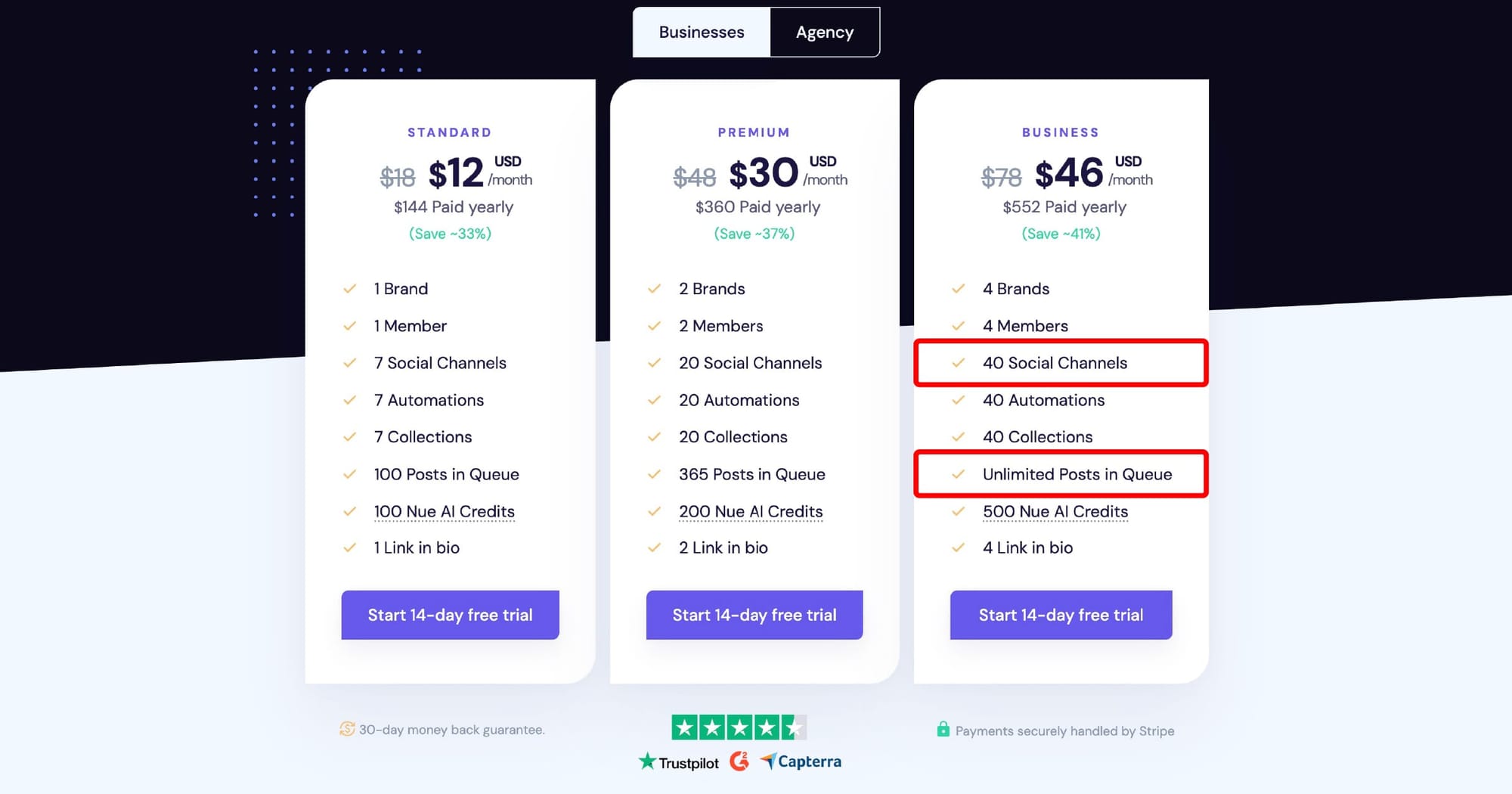
For example, Nuelink's Business Plan, and for just $46 per month (if paid yearly) you can connect 40 social media channels, and unlimited posts in the queue.
This means that your n8n workflow will never stop scheduling and posting posts because of Nuelink limits.
User experience and support
Building systems inside n8n comes with a learning curve.
You’ll face small blockers, unclear steps, workflow breaks, or moments where you’re not sure what to do next or don't know what's going on.
That’s why choosing the right social media tool you want to connect with n8n matters. It should offer all possible ways to make your automation journey as clear as possible.
Before you commit to a tool, ask yourself:
- Does the tool offer clear documentation for n8n integration?
Think help articles, FAQs, examples, or YouTube tutorials. - Is real human support available?
Not just AI chat, but someone who can actually help when something breaks. - Is the tool easy to use and easy to integrate with n8n?
A powerful tool isn’t helpful if it’s painful to work with. - Is the n8n integration actively maintained?
An official node that isn’t updated can break your workflows without warning.
In short, the right tool should remove guesswork by offering everything you need to understand, build, and maintain your workflows.
The Best Social Media Management Tools with Native n8n Integration
1. Nuelink
n8n Integration
| Item | Details |
|---|---|
| Integration type | Native, verified n8n node |
| Maintained by | Nuelink |
| n8n actions | Create Post only |
| Role of n8n | Post ingestion → Nuelink collections |
Limitations
- n8n cannot:
- Fetch analytics
- Edit/delete posts
- Read post status
Core Features
| Area | What you get |
|---|---|
| Scheduling | Unified calendar, bulk scheduling, cross-posting, evergreen recycling |
| Analytics | Reach, engagement, clicks, followers (PDF export) |
| AI | NueAI (captions, rewrites, hashtags) |
| Platforms | Instagram, TikTok, Facebook, LinkedIn, X, Pinterest, YouTube, GBP, Telegram, Threads, Mastodon, Bluesky |
Pricing & Scale
| Item | Details |
|---|---|
| Starting price | $18/month |
| Scaling | Brands, users, channels, automations, AI credits |
| Post limits | Unlimited from Business tier |
| Trial | 14 days (credit card required) |
👉 Read more about Nuelink’s n8n integration: Nuelink + n8n Integration: Automate Your Social Media with Thousands of Apps
2. Postiz
n8n Integration
| Item | Details |
|---|---|
| Integration type | Native, verified n8n node |
| Maintained by | Postiz |
| n8n actions | Create, schedule, delete, list posts, upload media, list channels, AI videos |
| Extras | Public API, webhooks, self-hosted |
Core Features
| Area | What you get |
|---|---|
| Scheduling | Threads, comments, delays, repeated posts, sets, RSS auto-posting |
| Analytics | Engagement, impressions, cross-platform reporting |
| AI | Smart Agent (chat), images, videos, performance analysis |
| Platforms | X, LinkedIn, Instagram, Facebook, TikTok, YouTube, Threads, Pinterest, Reddit, Discord, Bluesky, Mastodon |
Pricing & Scale
| Item | Details |
|---|---|
| Pricing | $29 / $39 / $49 per month |
| Scaling | Channels, AI limits, unlimited posts on higher tiers |
| API access | Included on paid plans |
| Trial | 7 days |
👉 Read our full comparison: Nuelink vs Postiz – Which social media scheduler integrates best with n8n
3. Simplified
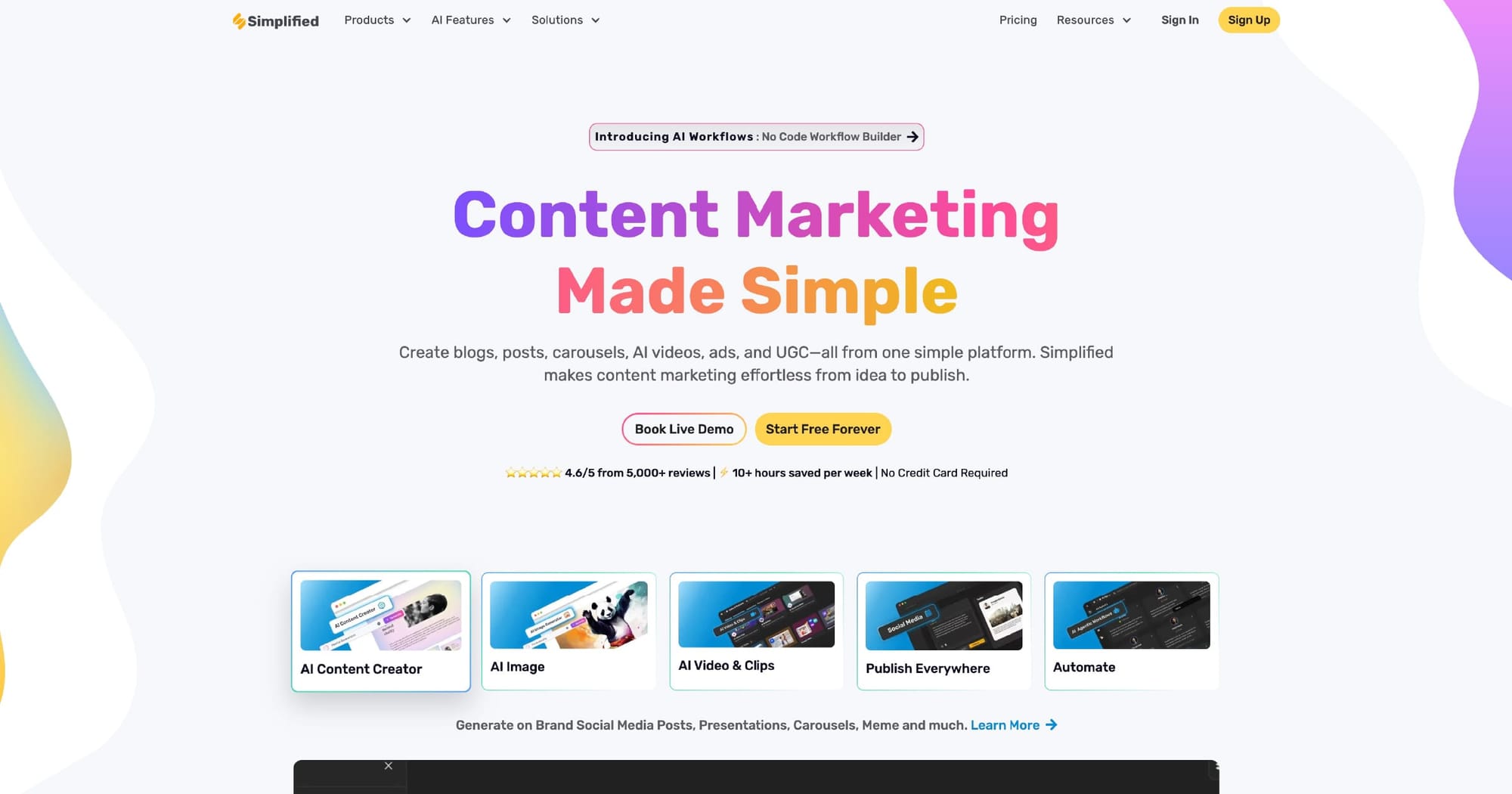
n8n Integration
| Item | Details |
|---|---|
| Integration type | Community-built, verified node |
| Maintained by | Simplified |
| n8n actions | Get accounts, create post |
| Role of n8n | Trigger → publish bridge |
Limitations
- No public API
- Analytics and advanced actions stay inside Simplified
Core Features
| Area | What you get |
|---|---|
| Scheduling | AI-assisted scheduling, bulk queueing, approvals |
| Analytics | Built-in performance reports |
| AI | AI Writer, design AI, templates, multi-language |
| Platforms | Instagram, X, LinkedIn, YouTube, TikTok, Facebook, Shopify-connected posting |
Pricing & Scale
| Item | Details |
|---|---|
| Free plan | Yes (Free Forever) |
| Paid plans | ~$30/month and up |
| Scaling | AI credits, storage, social accounts |
| Post queues | Strong bulk support |
TL;DR
- Nuelink → Simple, reliable n8n posting + strong internal automation
- Postiz → Deepest n8n integration and automation power
- Simplified → All-in-one content creation with light n8n usage
FAQ
Is a native n8n integration required?
It’s not required, but it’s strongly recommended. Native integrations are more reliable, easier to configure, and less likely to break when APIs change. API-only setups usually require more technical work and ongoing maintenance.
Can n8n replace a social media management tool?
No. n8n is an automation engine, not a social media platform. It handles workflows and logic, while the social media tool handles scheduling, publishing, analytics, and platform rules. The two work best together.
Will posting limits break my n8n workflows?
Yes, if you choose the wrong tool. Posting limits, API caps, or account restrictions can silently stop your workflows. That’s why tools with high or unlimited post queues and generous channel limits are critical when automating with n8n.
Is self-hosting n8n required for social media automation?
No. n8n Cloud works perfectly fine for most use cases. Self-hosting only makes sense if you need full control, custom nodes, or strict data ownership. For most creators and teams, hosted n8n is more than enough.
When should I choose a simpler integration over a more flexible one?
If your goal is reliability and ease, not maximum technical control. Tools like Nuelink trade flexibility for stability, which is often the better choice for users who want automation to “just work” without constant tweaking.


