

How to Repurpose Your Reels Into TikToks (Without Starting From Scratch)
Your Instagram posts, your reels, your carousels, even your long-form videos, all of that can become TikTok content
TikTok is one of the few platforms left where good content can still travel far, even if your account is small. You don’t need a massive following or studio-level production to get results. What you do need is consistent, relevant, well-paced content, and that’s where most creators start to struggle.
Keeping up with TikTok’s pace can feel exhausting. The pressure to constantly come up with new ideas, film new videos, edit, post, and repeat adds up quickly.
Over time, it becomes less about creativity and more about survival. And that’s usually when consistency starts to slip.
The thing is, you probably already have everything you need to grow on TikTok.
Your Instagram posts, your Reels, your carousels, even your long-form videos, all of that can become TikTok content. Not copied. Not dumped. Repurposed.
TikTok doesn’t care where your content started. It only cares how it performs inside its own ecosystem.
Once you understand that, it becomes much easier and more sustainable to repurpose content for TikTok without constantly feeling like you need to create something new from scratch.
Why TikTok Is the Best Platform to Repurpose Content Into
TikTok’s algorithm is built for discovery in a way that very few platforms still are. In many cases, it behaves more like a search engine, which is exactly why understanding TikTok SEO is so important if you want your content to reach new audiences consistently.
Unlike Instagram or Facebook, your content isn’t limited by how many followers you have or how engaged your existing audience is.
Every post gets a chance to be tested, pushed, and distributed based on performance, not popularity.
That makes TikTok the perfect destination for repurposed content. You can take ideas that already performed well on Instagram and give them a second life in front of a completely different audience.
In many cases, those videos will perform even better on TikTok than they did on their original platform, simply because TikTok users are actively looking for new content, not just scrolling past familiar accounts.
TikTok also rewards clarity over polish. You don’t need perfectly edited visuals or cinematic transitions. If the message is clear, the hook is strong, and the pacing keeps attention, the algorithm will do the rest.
Another underrated advantage is speed. TikTok reacts quickly. You can usually tell within hours whether something has potential. TikTok’s algorithm makes most of its core distribution decisions within the first 1–3 hours after posting by testing content on a small audience and expanding only if early metrics are strong.
That fast feedback loop allows you to test formats, angles, and ideas rapidly, using content you already have, instead of constantly creating from scratch.
When you start viewing TikTok as a distribution and experimentation platform rather than a pure creation platform, your entire content strategy becomes lighter, faster, and far more sustainable.
- Carousels: Convert Instagram carousel slides into TikTok posts. TikTok supports image posts, not many people know or maximize this, so you can crosspost your carousels there as well.
- Long-Form Videos: TikToks go up to 60 minutes. So, don’t be afraid to crosspost your Instagram videos too for a deeper dive.
- Reels: It’s the obvious option, but we have to mention it. With the right tools, you can crosspost your Instagram reels to TikTok.
If Instagram is already part of your workflow, there’s no need to manually repost everything on TikTok. You can automate the process and publish your content across both platforms in one step using Nuelink.
👉 Crosspost your Instagram Reels as TikToks Automatically
How to Repurpose Content From Instagram to TikTok Step by Step Using Nuelink
With a clear workflow and tools, repurposing content from Instagram to TikTok can be a breeze.
Sharing content across multiple platforms can be time-consuming, especially if you want your Instagram reels to reach TikTok.
By setting up crossposting automation correctly, you can ensure your best Instagram content gets a head start on TikTok without extra work.
Here’s a step-by-step guide to setting it up on Nuelink, the platform we use for obvious reasons:
Step 1: Start with a Nuelink Account
First things first, get yourself set up on Nuelink. It’s quick and easy. Sign up for the free 14-day trial, and you’ll be ready to crosspost your posts.
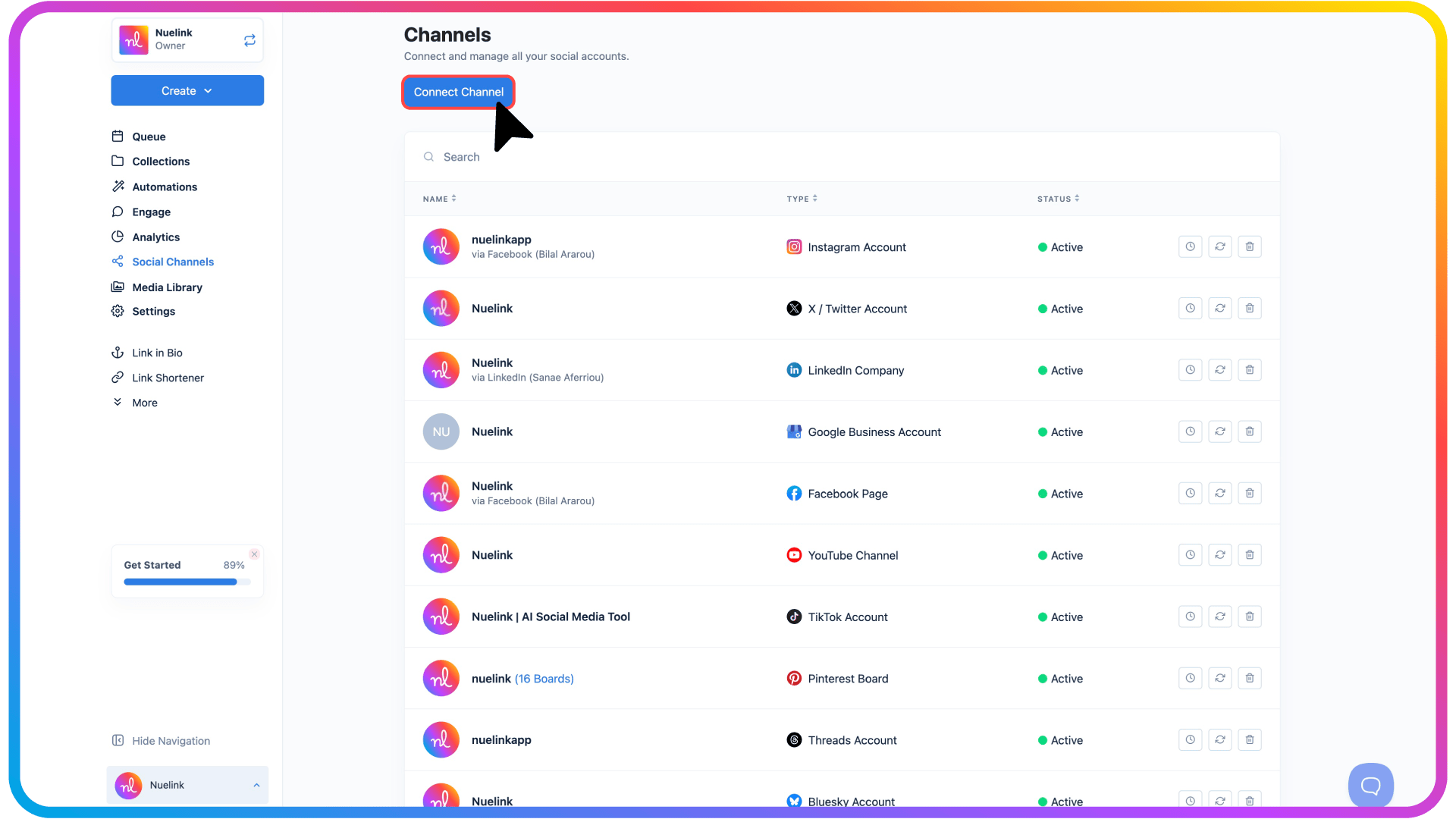
Step 2: Connect Your Accounts
Before you can start crossposting, make sure all your accounts are linked:
- Instagram: The platform you choose to be the source of your content.
- TikTok Account: the destination.
Need guidance on connecting accounts? Check out these resources:
📺 Connect Channels YouTube Playlist
📖 Connect Channels Help Articles
Step 3: Create an Instagram Crossposting Automation
Now that your accounts are connected, you can set up your automation:
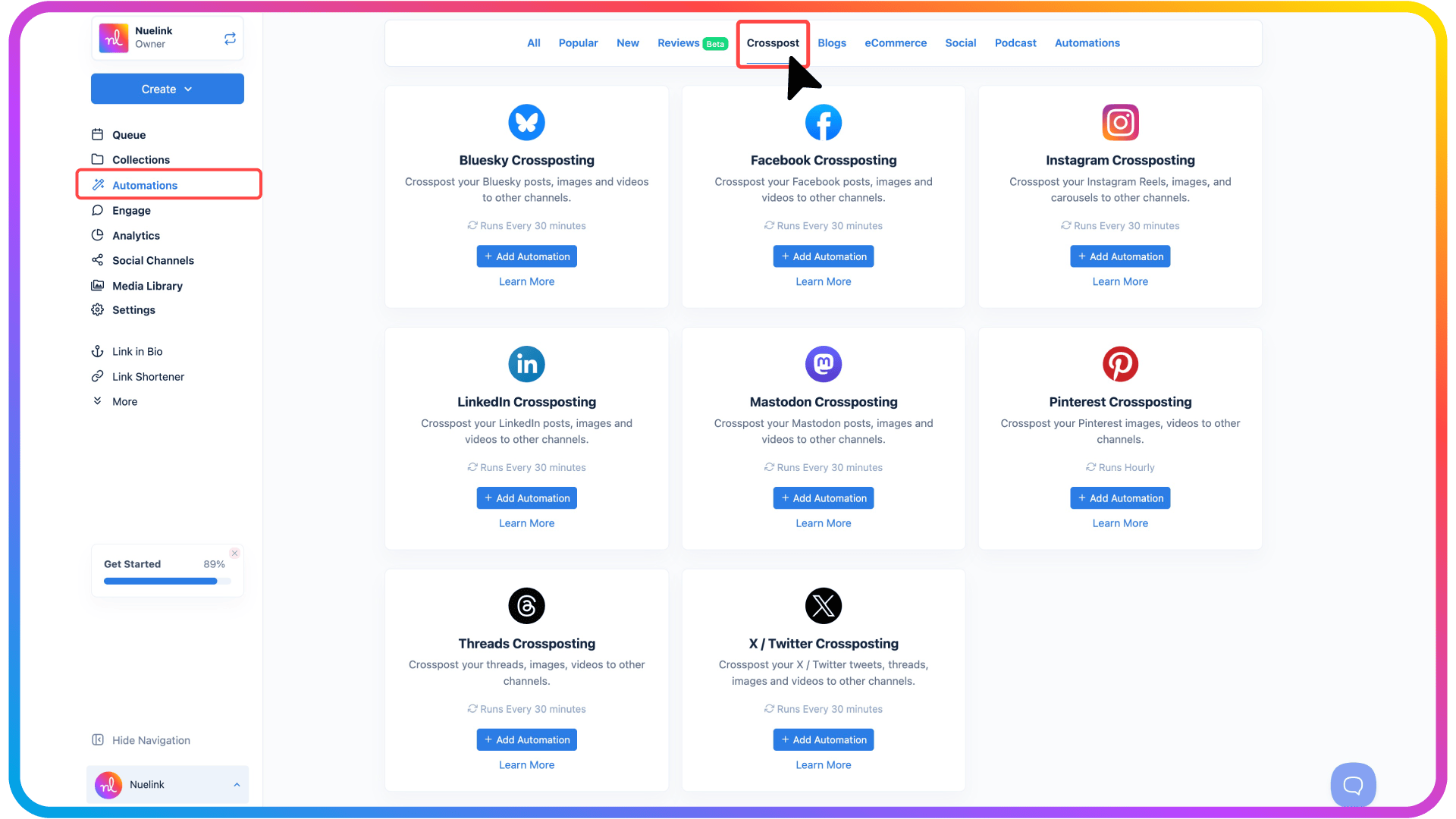
- Go to Automations → Add New Automation → Crossposting.
- Select Instagram Crossposting Automation.
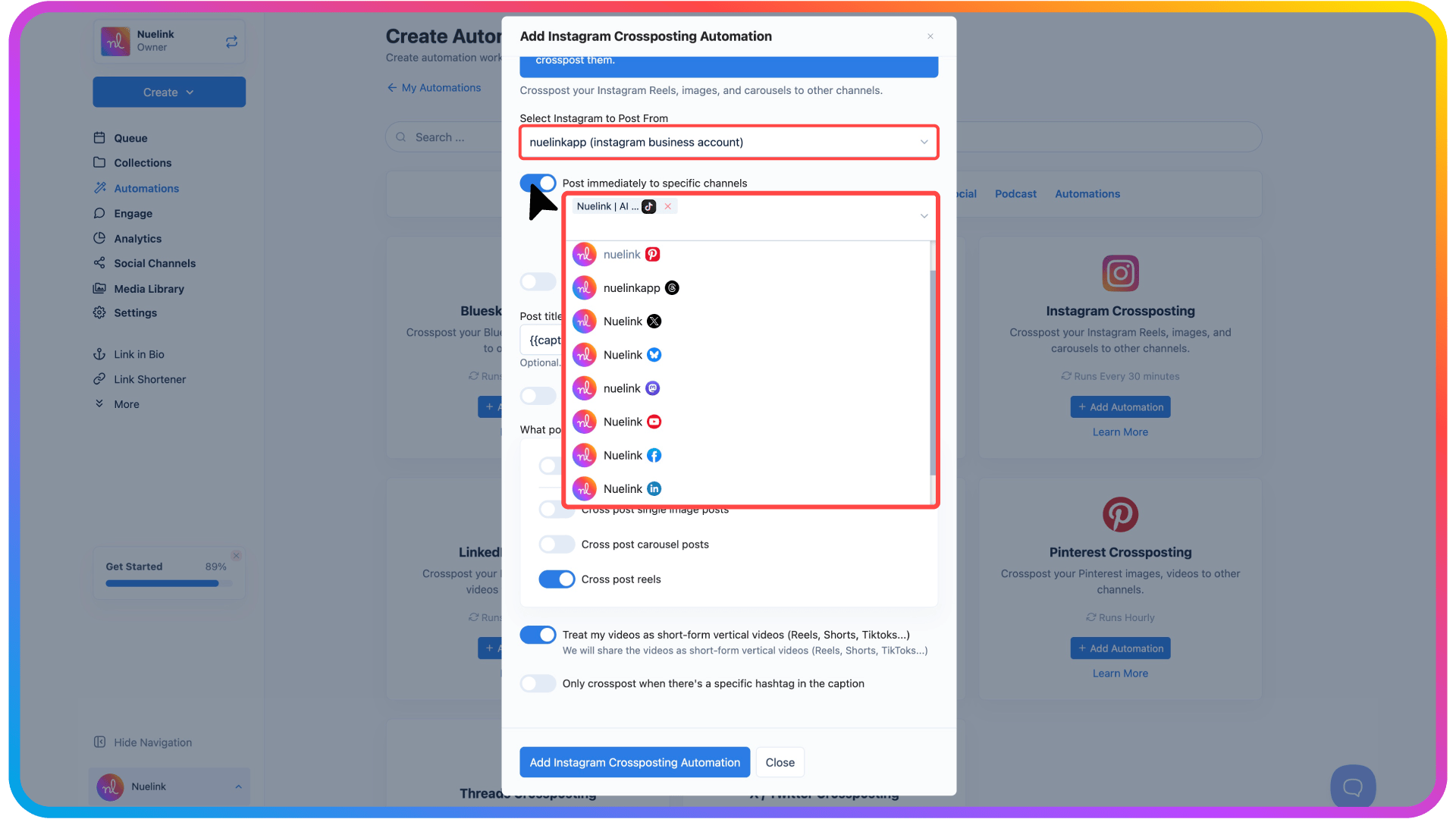
- Select Instagram as your source account.
- Choose TikTok as the destinations.
Step 4: Select Post Types
Decide what types of content you want to share, as we covered already, you can crosspost both image and video posts.
- All posts: everything will be cross-posted.
- Single images: standard posts only.
- Carousels: multi-image posts.
- Reels: short videos (usually the most effective for TikTok).
You can also opt to automatically format your videos in 9:16 for TikTok. Vertical videos perform better and increase watch-through rates.
Step 5: Activate and Publish
Once everything looks good:
- Click Add Instagram Crossposting Automation.
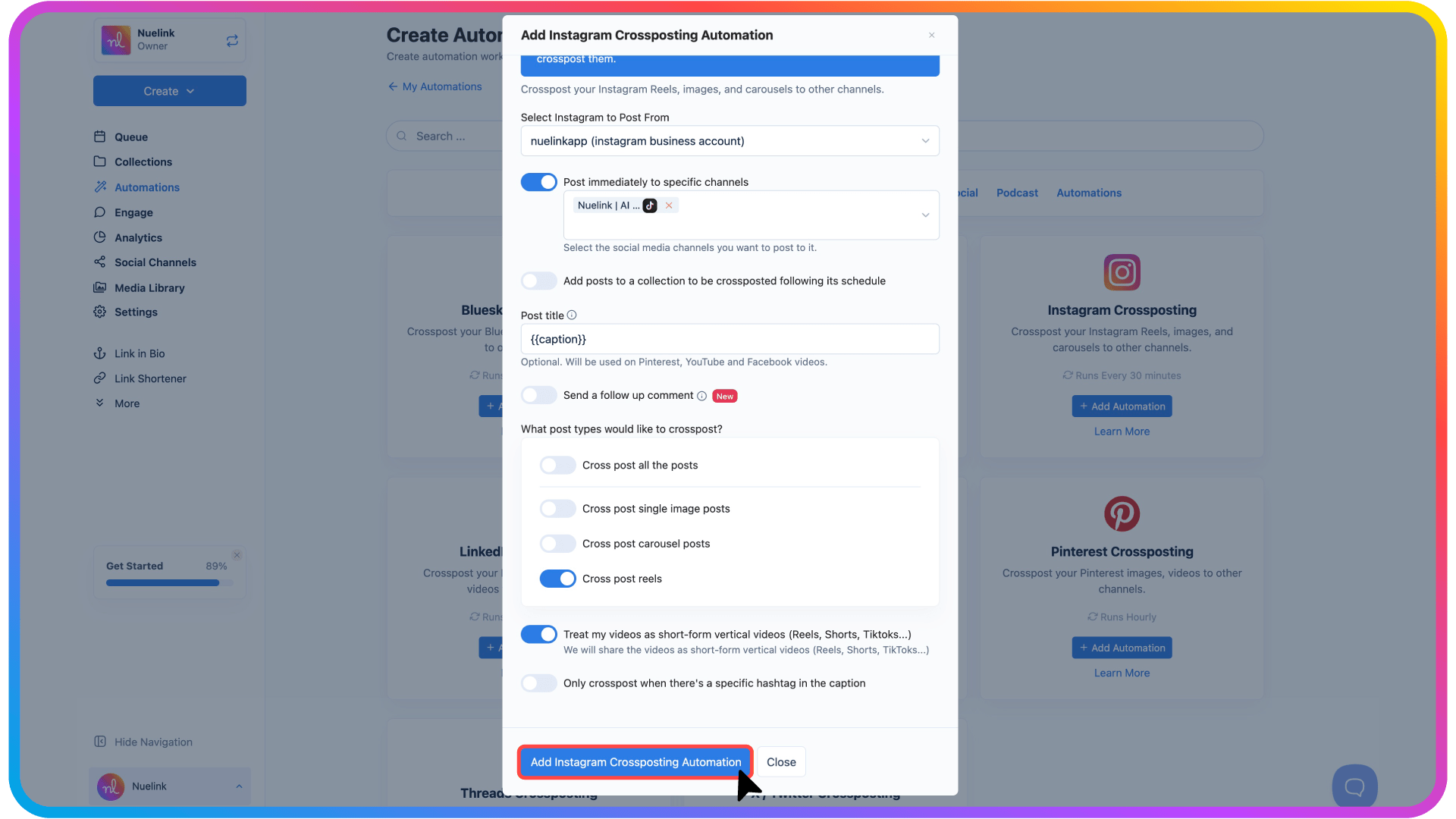
The system will now monitor your Instagram regularly for new posts. New content will automatically be shared to TikTok according to your settings, just like that.
Conclusion
TikTok doesn’t care where your content comes from. It cares whether it keeps viewers watching, whether it entertains, educates, or surprises, and whether it encourages engagement.
And the best part? Automation tools let you scale this process without burning yourself out. One piece of content can live on different platforms.
So stop overthinking the “next video” on TikTok. Start thinking about everything you already have as fuel and how you can repurpose your TikTok content more strategically. Repurposing isn’t lazy.
It’s smart. It’s efficient. And in 2026, it’s one of the fastest ways to grow on TikTok without burning out.
And while TikTok is a powerful channel, it’s only one piece of your distribution strategy. Nuelink also lets you automatically crosspost your content across multiple platforms, so you can grow everywhere without extra effort.
Take a look at