
If you've been anywhere near the AI space lately, you've heard about Claude Cowork.
People are using it to automate almost everything, manage files, run workflows, basically handing off entire chunks of work to an AI agent that actually executes tasks.
So, as a person of interest in the social media world, the obvious question you would have is: Can you use Claude Cowork to automate social media? The answer is Yes, but you need the right publishing layer to make it real.
And that's exactly where Nuelink comes in. Let's see how you can pair Nuelink and Claude Cowork to automate your social media tasks.
What Claude Cowork Actually Does
Most AI tools that were available before answered questions and could do simple tasks with minimal effort or complexity. Claude Cowork executes tasks.
It's an AI agent that can open tabs, read pages, write content, and do multiple-step actions. Think of it as an employee who never sleeps.
You give it a task. It figures out the steps. It executes. It can even be better if you can give it a clear SOP.
For social media, that means it can research topics, write your posts, adapt them per platform, and keep your content pipeline moving.
Where Nuelink Comes In
Here's where it gets interesting.
Because Cowork can actually access your browser, it doesn't just write your content; it can open Nuelink, navigate the interface, and schedule the posts directly inside Nuelink just by telling it so.
You end up with a full pipeline that runs itself: Idea → Content → Scheduled → Published.
Nuelink handles the rest, queuing, multi-platform publishing, and automations that fire whether you're online or not.
Why Nuelink Is the Perfect Match for Claude Cowork
Not every social media tool is built to work with AI automation, but Nuelink is different.
Here's why it's the natural home for everything Cowork produces.
🗂️ A Collection System Built for Organized Automation
Nuelink's Collections let you group content by theme, campaign, or platform, making it incredibly easy for Cowork to know exactly where to drop each post. No messy feeds. Everything lands in the right place, every time.
Discover how Collections work →
⚙️ Built-in Automations That Go Beyond Cowork
Nuelink had powerful automation features long before AI agents existed. Nuelink handles natively. Pair those automations with Cowork, and you're running automations on top of automations.
📅 A Queue System That Handles High-Volume Content Safely
When Cowork is generating and scheduling content at scale, you need a queue that doesn't break under the load. Nuelink's queue is built for volume. Cowork can keep adding posts without ever overwriting or disrupting what's already scheduled.
📊 Analytics That Show What's Actually Working
Once Cowork and Nuelink are running together, you'll be producing more content than ever. Nuelink's analytics let you see exactly what's working and what's not, so you can feed better inputs back into Cowork and keep improving your content.
Learn more about Nuelink's social media analytics
3 Practical Ways to Use Nuelink and Claude Cowork Together
The capabilities of AI are getting unlimited day after day; there are literally millions of variations on how to use Nue
1. Turn a Blog Post Into a Week of Social Content
You hit publish on a new article. But its impact can go further than that; it can be a source of a week or more of social media content.
With Cowork + Nuelink, that can actually be automated.
Cowork reads the article, pulls out the strongest ideas, and writes 5–7 post variations, each one formatted for the right platform. LinkedIn gets the insight angle. X gets the punchy take. It then opens Nuelink and schedules everything across the week, spaced out and ready to go.
🤖 Cowork Prompt to Execute This Task:
Go to [blog post URL]. Read the full article and extract the 7 most valuable ideas.
For each idea, write:
- A LinkedIn post (professional tone, 150–200 words)
- An X/Twitter post (punchy, under 280 characters)
- Then open Nuelink, go to the queue, and schedule each post
spaced one per day starting from tomorrow at 9AM.
2. Announce Product Updates on Social Media Automatically
Your team ships a new feature or improves a current version of an existing feature, which can be translated into social media content!
The product side moves fast. The social side usually doesn't catch up.
Feed the update to Cowork, a changelog, a Notion note, or even a task description, and it writes the announcement in multiple formats. A detailed LinkedIn post. A short, punchy X thread. Then it goes straight into Nuelink and schedules everything for the right day.
🤖 Cowork Prompt to Do This:
Here is a product update: [paste changelog or description].
Write two announcement posts:
- LinkedIn: highlight the value to the user, professional tone, 150–200 words
- X/Twitter: short, exciting, under 280 characters
- Then open Nuelink and schedule both posts
for [date] at 10AM on their respective channels.
3. Turn Customer Testimonials Into Scheduled Social Proof Automatically
You have happy customers, and their good words are sitting on review pages doing nothing. You could use that as a social media strategy.
Give Cowork a link to your reviews page, a Trustpilot, G2, or any review profile. It reads through them, picks the strongest ones, and builds ready-to-post social proof content around each, then it schedules them in Nuelink, spread across the month.
But here's where it gets even better.
Using Cowork's scheduled tasks feature, you can set this entire workflow to run automatically every 2 days or so. Cowork checks your reviews page, looks for anything new since the last run, and if there's a strong new review, it writes the post and queues it in Nuelink.
New review comes in on a Tuesday night. By Wednesday morning, it's already scheduled.
🤖 Cowork Prompt to Do This:
Every 2 days, go to [reviews page URL]. Check for any new reviews since the last time you ran this. If there are new ones, pick the strongest quote.
Write a LinkedIn post that:
- Opens with a hook.
- Includes the quote in the middle.
- Ends with a one-line CTA (max 150 words)
- Then open Nuelink and add it to the queue for the next available slot. Skip if no new reviews were found.
How to Set Up Nuelink + Claude Cowork in 4 Steps to Automate Your Social Media
Hopefully, by now, we've convinced you that Nuelink and Claude Cowork are a genuinely powerful combo to automate your social media.
The writing layer, the scheduling layer, and the publishing layer are all connected and running with only a few prompts from your end.
Here's how to get it up and running.
Step 1: Open a Nuelink Account
Sign up for Nuelink's 14-day free trial to start automating your social media. Share them instantly as social media posts across 12+ platforms!
👉 Claim your 14-day free trial now!
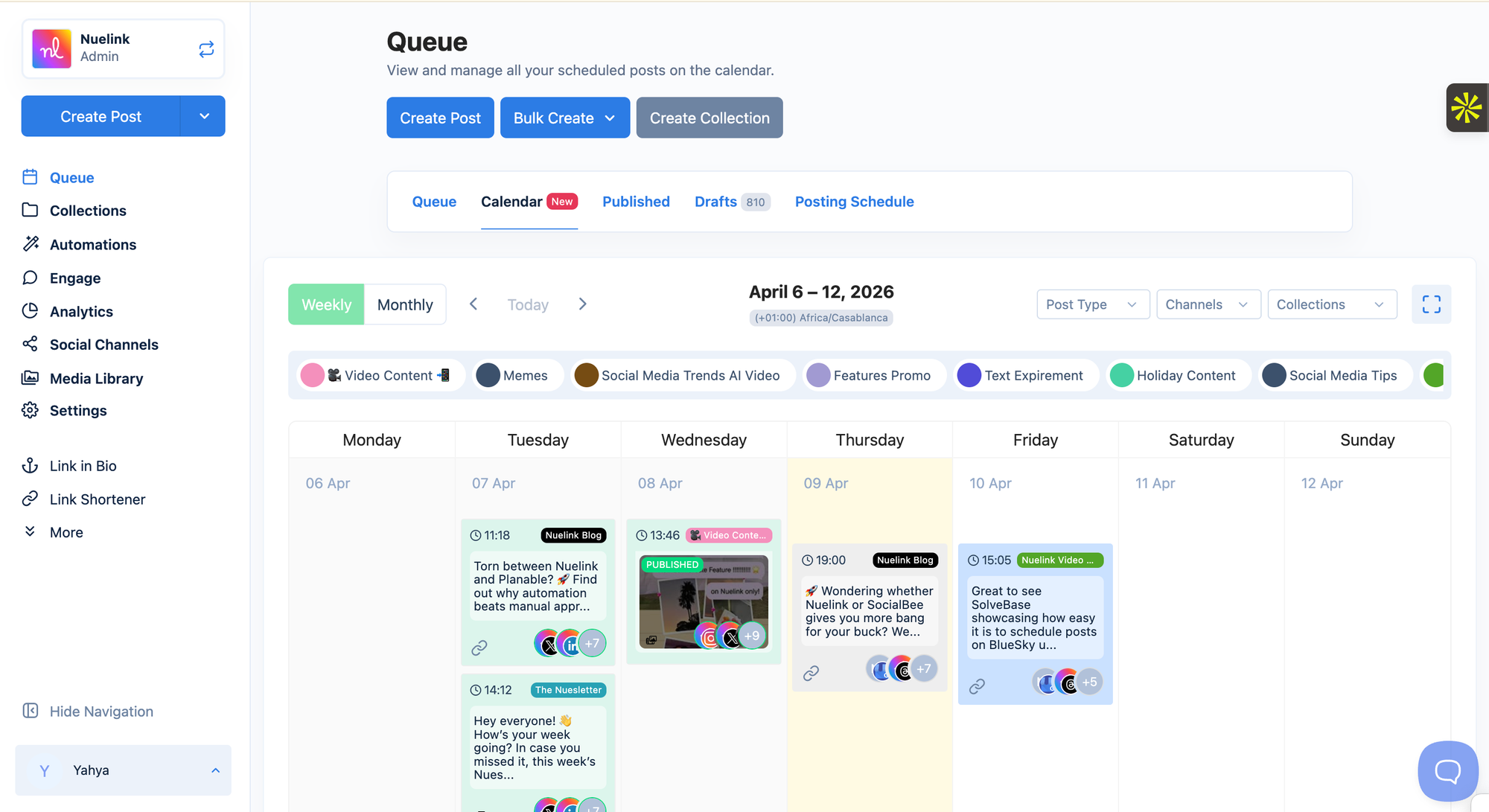
Step 2: Connect Your Social Media Channels
Once you're in, you need to connect the social media channels that you will use for your Nuelink + Cowork automation combo.
💡 Nuelink supports all the major social media platforms, including Instagram, Pinterest, TikTok, Bluesky, and many others
To learn more about connecting your social media channels, check out these resources:
Step 3: Download and Set Up Claude Cowork
Cowork is a desktop app from Anthropic that lets Claude operate your browser and execute tasks on your behalf.
Download it, install it, and get it running on your machine.
Step 4: Teach Cowork How Nuelink Works
This is the step most people skip, and it's the most important one.
Before you ask Cowork to schedule anything, you need to make it familiar with Nuelink's interface. Open your Nuelink dashboard inside your browser, and walk Cowork through the key actions:
- Where the queue is
- How to create a new post
- How to select a channel
- How to set a date and time
- How to hit schedule
You're essentially training it once so that every time you say "schedule this post in Nuelink" it knows exactly what to do.
Think of it as onboarding a new hire to your tools on day one.
Step 5: Run Your First Prompt
Now you're ready. Pick one of the prompts from the scenarios above, or write your own, and let Cowork do the rest.
It will write the content, open Nuelink, navigate the interface, and schedule everything exactly as instructed.
Your first automated post is a single prompt away.
🔜 Nuelink MCP Coming Soon
Right now, Cowork needs to open Nuelink in your browser to schedule posts, which works great, but does require the app to be running.
Nuelink's MCP integration is coming soon.
Once it's live, Cowork will be able to communicate with Nuelink directly, writing posts, scheduling content, and managing your queue entirely in the background, without ever opening a browser window.
👉 Try Nuelink free for 14 days
A Real Example: How Khalid Built His Setup
Khalid is a founder who was already using social media tools, but kept hitting walls.
He tested Buffer and Nuelink side by side to see which one worked better with an automated workflow.
Here's what he said:
"I tested Buffer and Nuelink both to see if I can post quickly. I got blocked after 30 min on Buffer. 10 min — Nuelink + Cowork is done."
That's not a feature comparison. That's a workflow that actually shipped.
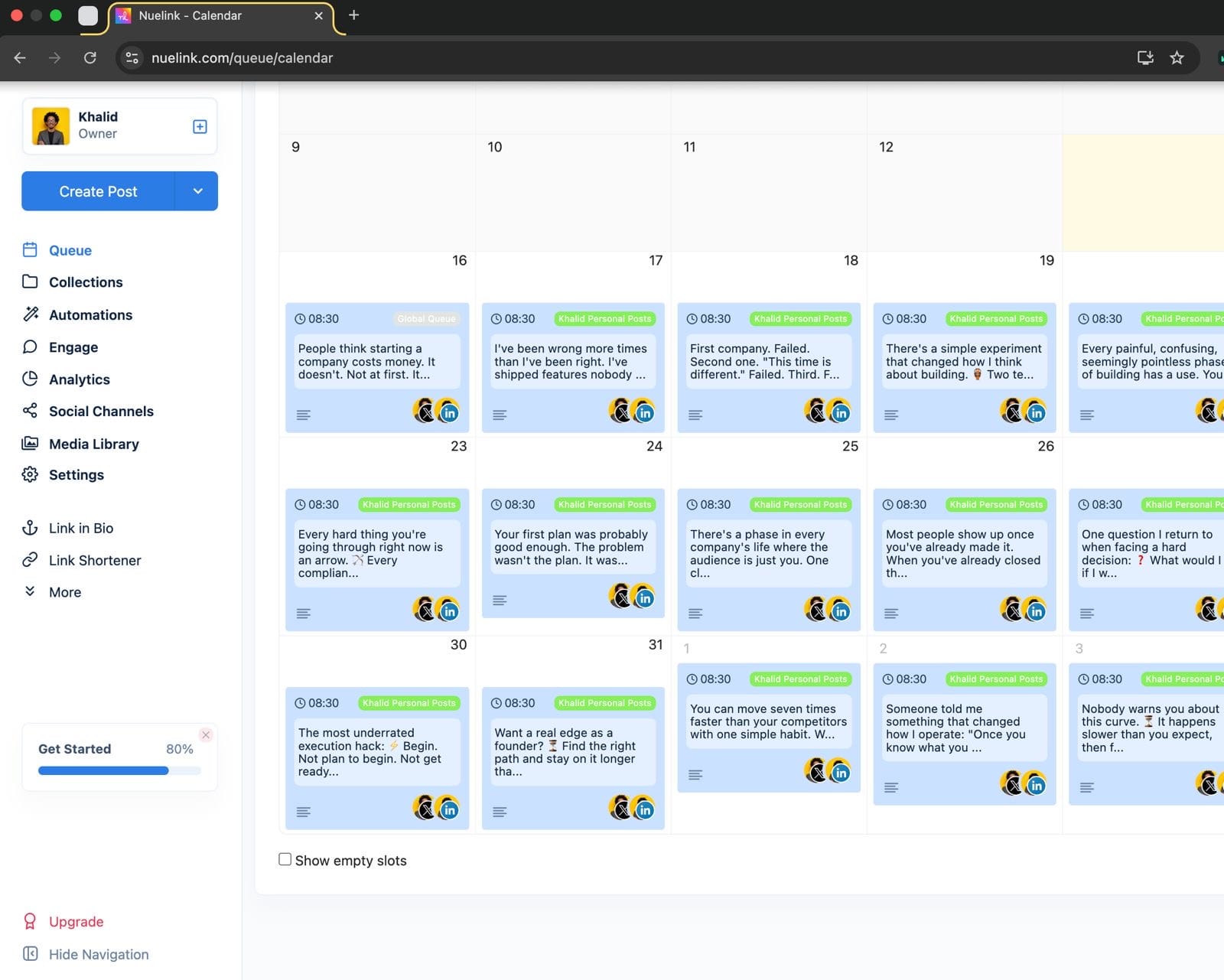
And here's what his Nuelink calendar looks like after setting it up: