
How to Schedule Instagram Trial Reels with Nuelink
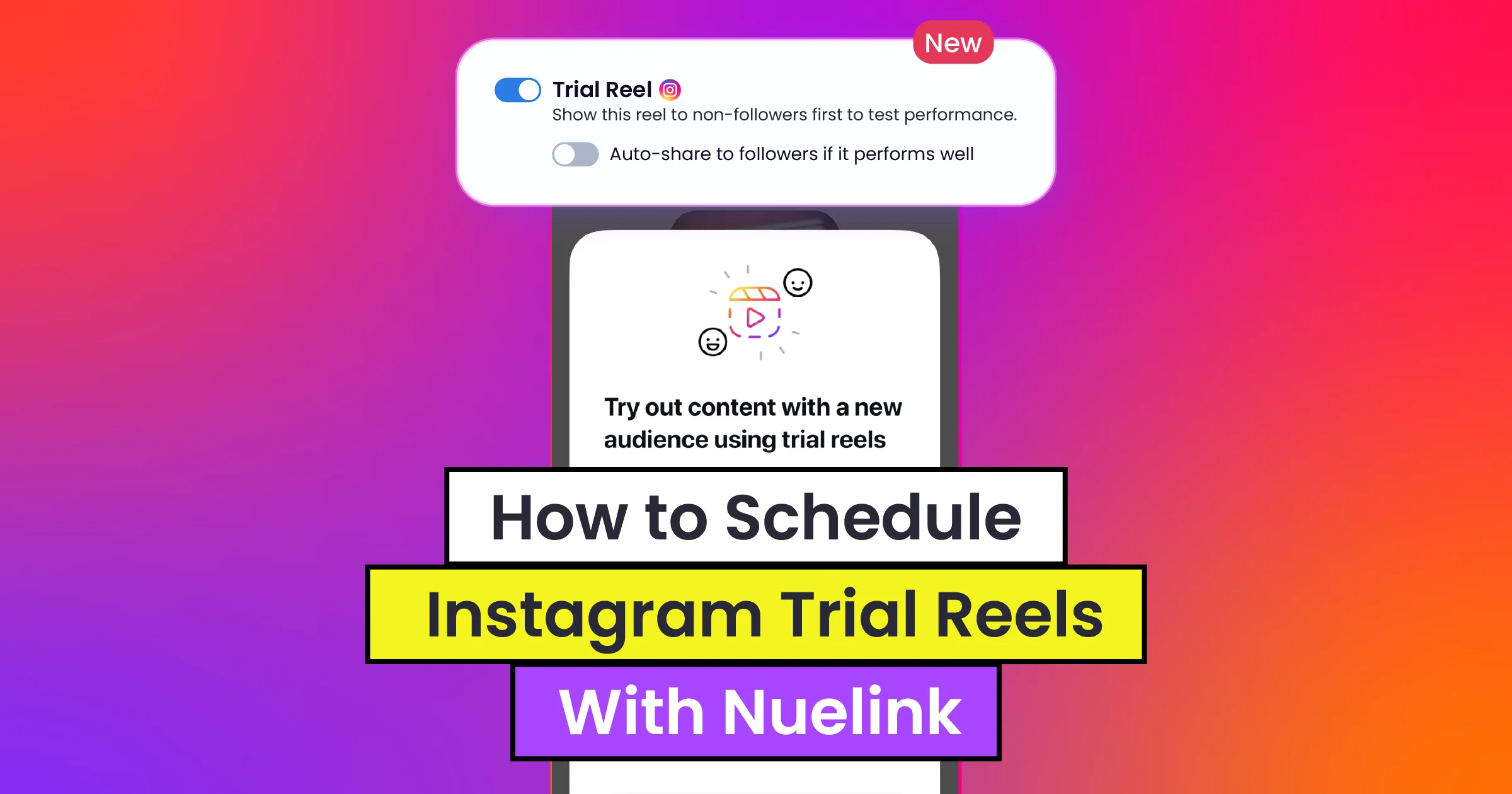
Instagram keeps evolving, and so does Nuelink.
We're always working to make sure you have the tools to stay ahead of the curve, and today, we have an exciting update to share...
Nuelink is one of the few social media scheduling tools that supports scheduling Instagram Trial Reels.
What Are Instagram Trial Reels?
Instagram Trial Reels are a feature designed to help creators test their content with a broader audience before it goes live to their existing followers.
When you publish a Reel as a "Trial," Instagram shows it to non-followers who might be interested in your content, giving you a low-risk way to experiment with new formats, topics, or styles without impacting your engagement metrics with your current followers.
After a set period, you can review how the Trial Reel performed and decide whether to share it with your followers or let it quietly fade.
It's a powerful tool for creators who want to take creative risks, test new content directions, or simply get more eyes on their work.
Nuelink Now Supports Scheduling Instagram Trial Reels 🎉
We're thrilled to announce that Nuelink now fully supports scheduling Instagram Trial Reels. You can plan and schedule your Trial Reels directly from Nuelink. No more manual posting or last-minute uploads.
This means you can now manage your Trial Reel strategy alongside the rest of your social media content from one place.
Why Schedule Instagram Trial Reels with Nuelink?
Scheduling your Instagram Trial Reels through Nuelink isn't just about convenience; it's about having your whole social media marketing strategy in one place.
Manage everything in one place: Write captions, add hashtags, schedule posts, and manage multiple social channels from a single dashboard while testing your Instagram Trial Reels, making it easier to experiment with different content without disrupting your overall workflow.
Stay consistent without extra effort: With Nuelink’s scheduling system and collections, you can maintain a consistent posting rhythm while testing new Trial Reel content.
Generate captions with AI: Use Nuelink’s built-in NueAI to generate engaging captions for your Trial Reels in seconds and speed up your content workflow.
Add music to your Trial Reels: Search for and select music directly from Nuelink while preparing your Instagram Trial Reel. This allows you to upload your video, write the caption, choose your music, and schedule the Trial Reel from the same Post Editor. The available audio is provided through Meta’s API.
How to Schedule Instagram Trial Reels Using Nuelink
Since simplicity is at the core of Nuelink’s value, we designed the process of scheduling your Instagram Trial Reels to be as easy and straightforward as possible.
Step 1: Open a Nuelink Account
After signing up for a 7-day free trial, you can start scheduling your Instagram Trial Reels with Nuelink immediately.
Claim your Nuelink 7-day free trial now.
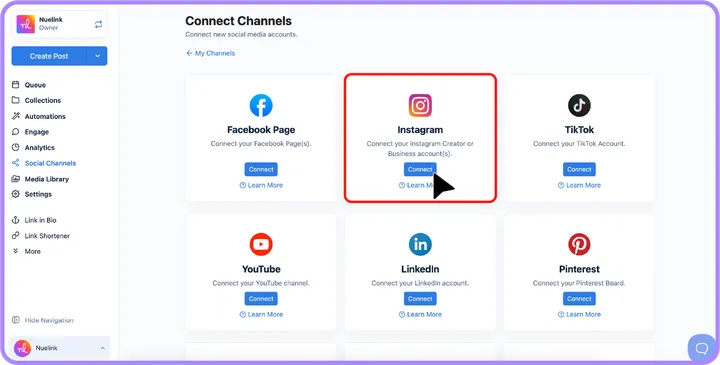
Step 2: Connect Your Instagram Account to Nuelink
Once you're in, you must link your Instagram account to Nuelink.
💡 Need guidance on connecting accounts with Nuelink?
Check out:
📺 Connect Channels YouTube Playlist
📖 Connect Channels Help Articles
Step 3: Click on ‘Create Post’
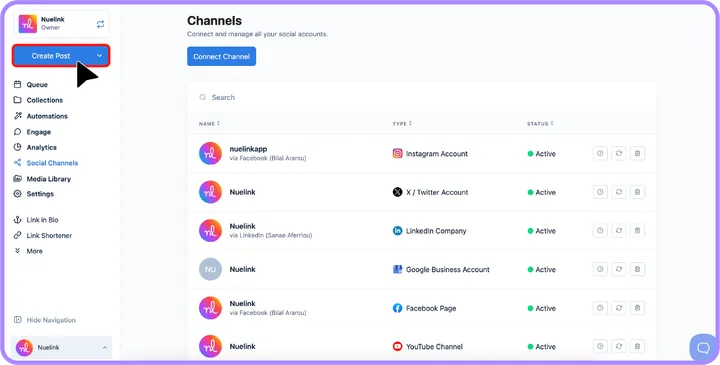
On the left sidebar, click the 'Create Post' button to start creating your Instagram reel.
Step 4: Choose a Collection and Social Channel
- Under the Collection dropdown, select the appropriate collection for your post (e.g., “Growth Tips”).
Learn more about Nuelink's collections.
- In the Social Channels section, select your Instagram account or accounts.
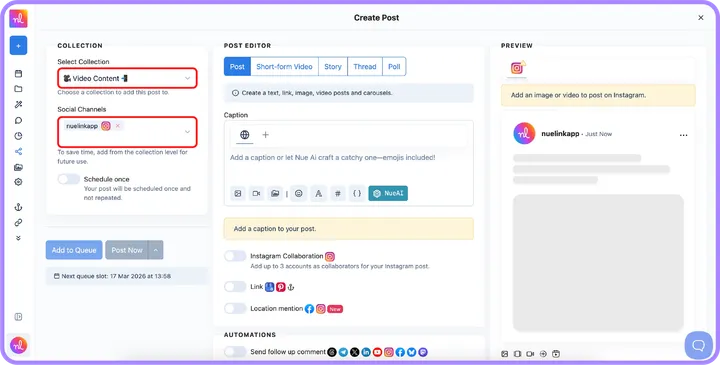
Step 5: Switch to "Short-form video" & Add Your Instagram Trial
- In the Post Editor, switch the post type to 'Short-form video'.
- Click on the video or image icon below the text editor to upload your Instagram Trial Reel.
Step 6: Write Your Caption
In the Caption section, write the caption for your Instagram Trial Reel.
You can add text, emojis, hashtags, and formatting using the options below the caption editor.
💡 Tip: You can also click NueAI to generate a caption automatically using Nuelink’s AI assistant.
Step 7: (Optional) Add Music to Your Instagram Trial Reel
Use the Instagram Reels music option to search for an available track or original sound and add it to your Trial Reel. The music option appears when your Instagram account and the Short-form Video post type are selected.
Note: Meta only provides audio authorized for use through third-party tools. This means some music available in the Instagram app may not appear in Nuelink, and the selection can vary depending on the region associated with your Instagram account.
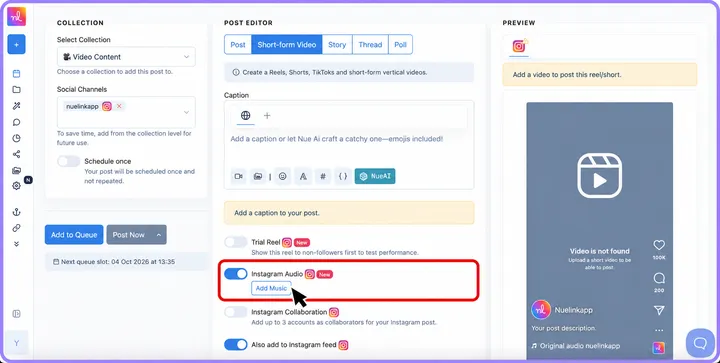
Step 8: Activate the Trial Reel Option
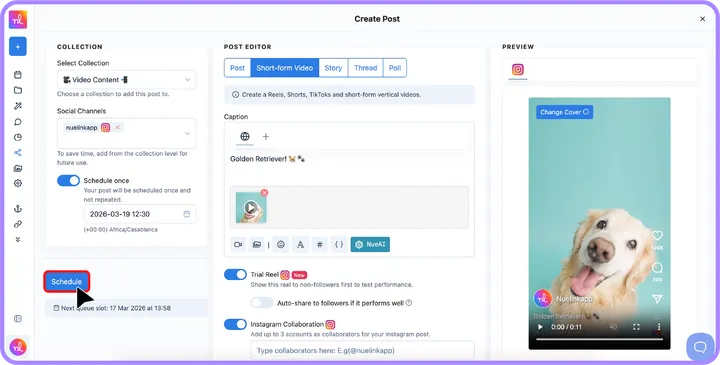
Scroll down to the Trial Reel option and enable the toggle.
This option allows your reel to be shown to non-followers first so you can test how it performs before sharing it with your followers.
If the reel performs well, you can enable Auto-share to followers if it performs well so Instagram will automatically share it with your followers later.
Step 9: (Optional) Add Instagram Collaborators
If you want to publish the reel with collaborators, enable the Instagram Collaboration option.
Then type the Instagram usernames of the collaborators in the field provided.
You can add up to 3 collaborators to your Instagram post.
Step 10: Preview Your Trial Reel
Check the Preview section on the right to see how your trial reel will look on Instagram.
Step 11: Set Scheduling Options
- Turn on the 'Schedule Once' option to schedule your Trial Reel for a specific time.
- Select the desired date and time using the calendar and time picker.
Step 12: Click ‘Schedule’
Once everything is ready, click the 'Schedule' button to schedule your Instagram Trial Reel.