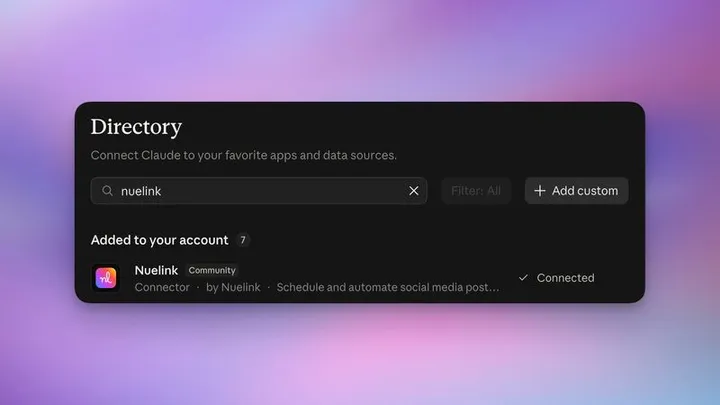

Nuelink Is Now in Claude’s Connector Directory
Nuelink is now in Claude’s connector directory. Connect your account to create drafts, schedule social posts, and manage your content through conversation.
You can now connect Nuelink to Claude directly from Claude’s connector directory.
Bring the ideas you develop with Claude into your social media publishing workflow. Turn a campaign brief into drafts, check what is already on your calendar, and schedule approved posts through Nuelink all inside Claude without even logging into your Nuelink's account.
If Claude is where you brainstorm your social media content, Nuelink gives that content somewhere to go.
From a Conversation to Your Content Calendar
You have worked through the angle, tightened the caption, and decided what you want to say. Now you can ask Claude to publish that content using Nuelink instead of moving it across tools yourself.
Our founder, Bilal Ararou, shared the thinking behind the launch: make it possible for people to work with their social media tools through the AI assistant they already use.
What Can You Do with Claude + Nuelink?
Claude can work with your existing Nuelink brands, collections, media, and posting schedule. Describe the task in your own words, then review the content and destination before approving a publishing action.
- Save drafts: turn ideas, briefs, or announcements into social posts ready for review.
- Queue and schedule posts: use your collection’s posting slots or choose a specific date and time.
- Check your calendar: see upcoming posts and find drafts waiting for approval.
- Use your media: work with images, videos, and supported documents in your Nuelink library.
- Review results: check what published, what failed, and the post engagement metrics available from each platform.
You can also create collections and supported feed automations. See the Nuelink MCP documentation for more on the available workflows.
How to Connect Nuelink to Claude
1. Open Nuelink in the directory
Visit Nuelink’s Claude directory page. Sign in to Claude if needed, then choose the option to add or connect Nuelink.
2. Authorize your Nuelink account
Follow the authorization flow, sign in to Nuelink, and review the requested access. The connection uses OAuth, so you do not need to paste an API key into your conversation.
Have a Nuelink brand and collection ready, with your social channels connected. The connector works with any Nuelink plan or the 7-day free trial.
3. Check the connection
Ask Claude:
Use Nuelink to check which account I am connected to. List my brands and collections without changing anything.
Choose the brand and collection you want to use, then ask Claude to show the connected channels. This helps you confirm where your posts will go.
4. Save your first draft
In [brand], save this text as a draft in [collection]: “Something new is coming. Stay tuned for the announcement.” Do not queue, schedule, or publish it. Retrieve the saved draft and confirm that it has no publishing date.
You can review the result in Claude or open Nuelink to see it in your collection. When you are ready, give a separate instruction to queue, schedule, or publish.
Three Possible Ways to Put Nuelink + Claude to Work
Create and queue a post
Use this article as inpiration: [Article URL]. Create a LinkedIn post about the same topic for [brand]. Add it to the next available time slot in [collection].
Manage scheduled posts
Find the post about [topic] in [brand]. Change its caption to [new caption] and move it to the front of the queue.
Check post performance
Show me how my posts performed last week across all connected channels. Include likes, comments, shares, clicks, and impressions, and highlight the best-performing posts.
A Few Things to Know
Your Nuelink dashboard remains available for reviewing drafts, checking the calendar, and managing your social channels. Start with drafts while you get familiar with the connection, and be clear about when you want something to go live.
Try Nuelink with Claude
Connect your account, bring one idea into the conversation, and save your first draft. We would love to hear what you create.
From Our Founder
Read Bilal’s announcement on LinkedIn.
 Bilal Ararou