
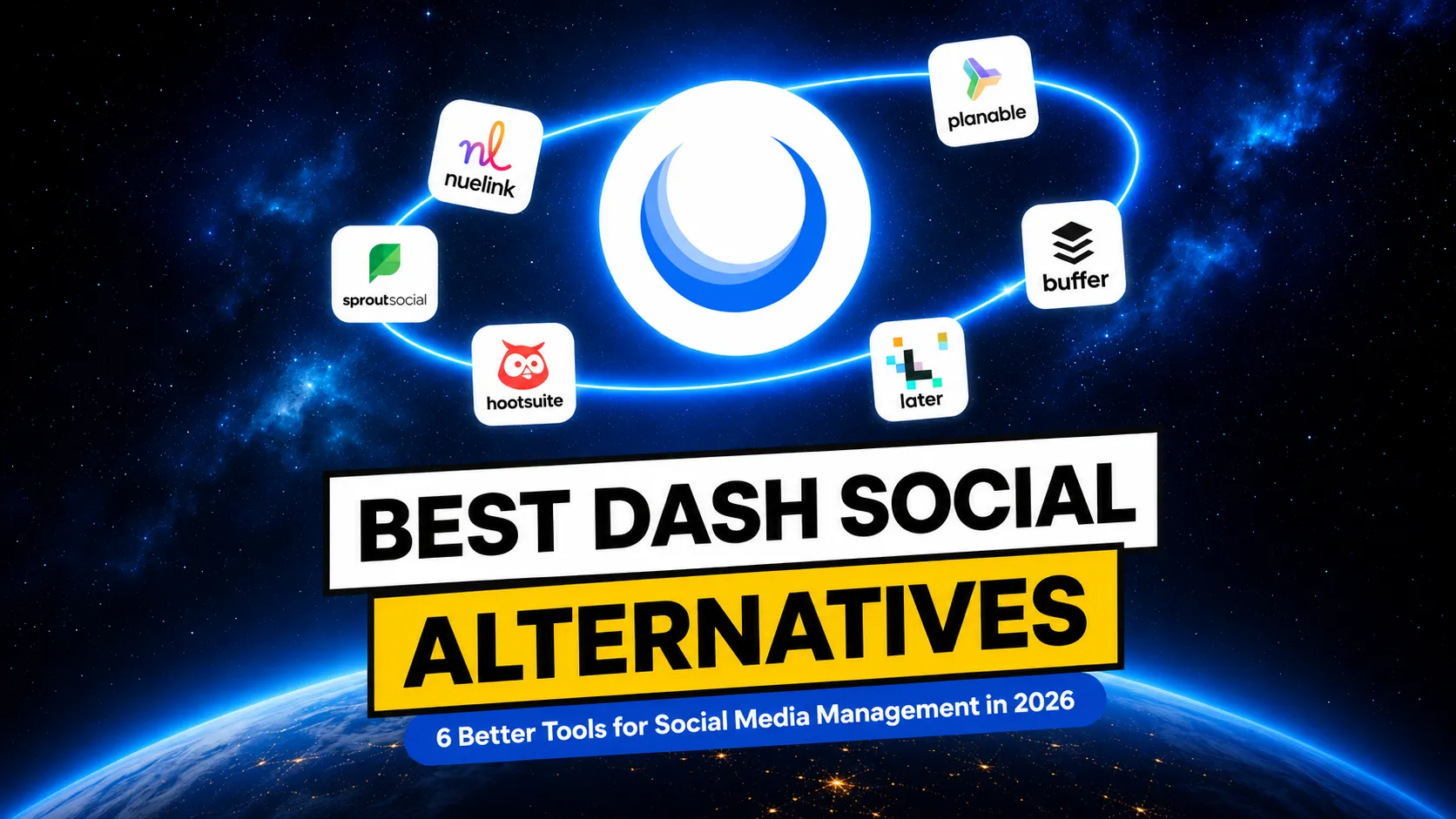
Best Dash Social Alternatives in 2026: 6 Better Tools for Social Media Management
Over the past few years, Dash Social has built a strong reputation as one of the go-to platforms for enterprise brands. But while Dash Social excels at helping brands understand their social media performance, it isn't necessarily the best fit for everyone.
If you've been researching social media management platforms, chances are you've come across Dash Social.
Over the past few years, Dash Social has built a strong reputation as one of the go-to platforms for enterprise brands. Its AI-powered analytics, visual intelligence, creator management tools, and detailed performance reporting make it especially popular with large marketing teams that rely heavily on data to guide their strategy.
But while Dash Social excels at helping brands understand their social media performance, it isn't necessarily the best fit for everyone.
The good news? There are plenty of excellent alternatives.
Whether you're looking for a tool with smarter automation, easier collaboration, stronger scheduling features, better AI tools, or simply a more affordable solution, there's no shortage of great options available in 2026.
In this guide, we'll compare the best Dash Social alternatives for agencies, creators, small businesses, marketing teams, and enterprise brands. We'll break down each platform's strengths, pricing, pros and cons, and help you decide which one best fits your social media workflow.
Why Look for a Dash Social Alternative?
Dash Social is undoubtedly a powerful platform, especially if your team lives and breathes social media analytics. But as your needs evolve, you may find yourself wanting more than deep insights alone.
Many businesses are looking for a platform that combines analytics with smarter scheduling, better automation, stronger collaboration, and a price tag that makes sense. If that sounds familiar, you're definitely not alone.
Here are some of the biggest reasons users start exploring Dash Social alternatives.
High Enterprise Pricing
One of the first things you'll notice about Dash Social is that it isn't built with small budgets in mind.
The platform primarily targets enterprise brands, meaning pricing is often customised and can quickly become expensive depending on the features, users, and social profiles you need.
Fortunately, many competitors now offer similar scheduling, automation, analytics, and collaboration features at a fraction of the cost, making it easier to get a stronger return on your investment.
Scheduling Isn't Its Strongest Feature
If your daily workflow revolves around scheduling posts, automating campaigns, recycling evergreen content, or publishing across multiple social platforms, you may find yourself wishing for more flexibility.
Many alternatives offer features like bulk scheduling, AI-generated captions, content queues, cross-posting, RSS automation, and evergreen recycling.
Collaboration Could Be Better
While Dash Social includes collaboration features, many competing platforms offer more advanced approval systems, content review stages, shared calendars, role-based permissions, internal comments, and client-friendly workflows.
Better All-in-One Platforms Exist
The best platforms combine scheduling, automation, AI writing tools, analytics, collaboration, inbox management, content recycling, and integrations into one easy-to-use dashboard.
After all, if your team spends more time creating and publishing content than analysing it, choosing a platform that prioritises automation, scheduling, and collaboration may be a much smarter investment.
1. Nuelink (Best Overall Dash Social Alternative)
If you're looking for a platform that does more than just measure your social media performance, Nuelink is one of the best Dash Social alternatives available in 2026.
Nuelink focuses on helping you save time through automation without sacrificing the scheduling, analytics, and collaboration features you need to grow your social presence. It's designed for creators, agencies, small businesses, and marketing teams that want to spend less time manually publishing content and more time creating it.
Why Nuelink Stands Out
Whether you're posting every day or managing dozens of client accounts, features like recurring posts, smart queues, bulk scheduling, and content recycling help you maintain a consistent presence while significantly reducing manual work.
If your goal is to publish more content in less time, Nuelink offers one of the best automation toolkits on the market.
Best Features
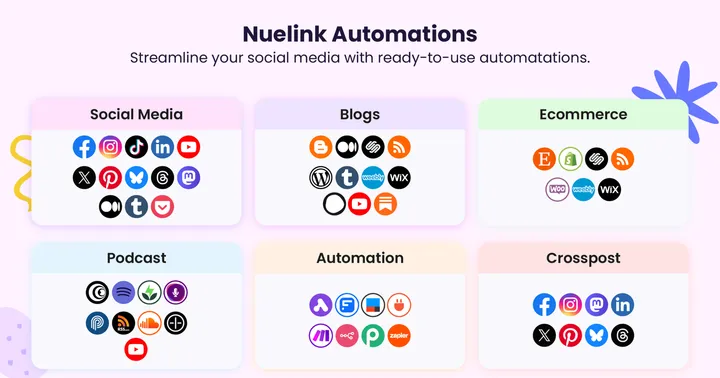
- Automate posts from blogs, RSS feeds, podcasts, YouTube channels, Shopify, Etsy, WooCommerce, and other content sources.
- Schedule and publish across Facebook, Instagram, LinkedIn, X (Twitter), TikTok, Pinterest, Google Business Profile, Threads, YouTube, and more.
- Recycle evergreen content automatically to keep your best-performing posts working for you.
- Cross-post content between platforms.
- AI-powered writing assistant for generating, rewriting, and optimizing social media captions.
- Bulk scheduling and queue-based publishing for faster content planning.
- Visual content calendar with drag-and-drop scheduling.
- Built-in analytics to track engagement and post performance.
- Team collaboration with shared workspaces and user permissions.
- URL shortening and link tracking.
- Built-in Link in Bio.
- API and MCP integrations.
- Integrations with popular tools like Canva, Zapier, Make, and thousands of apps through automation platforms.
Pricing
- Starts at $24/month.
- 7-day free trial available.
Rating
G2 Rating: 4.8/5
Want a direct head to head? See exactly how Nuelink stacks up against Dash Social on automation depth, pricing, and real user feedback in our detailed comparison. Read Nuelink vs Dash Social!
2. Sprout Social (Best for Enterprise Teams and Advanced Analytics)
If your business relies heavily on data-driven decision-making, Sprout Social is one of the strongest Dash Social alternatives you can choose.
Like Dash Social, Sprout Social is built with larger organisations in mind. While it's one of the more expensive platforms on this list, many enterprise teams find the advanced reporting and collaboration features well worth the investment.
Why Sprout Social Stands Out
Sprout Social excels at turning social media data into actionable insights.
Its customizable reports, competitive analysis, and social listening capabilities make it easier to understand your audience, track brand sentiment, and demonstrate ROI to stakeholders.
Best Features
- Comprehensive analytics and customizable performance reports.
- Social listening and brand monitoring.
- Unified Smart Inbox for managing messages across platforms.
- Content calendar with scheduling and publishing tools.
- Approval workflows and team collaboration features.
Cons
- One of the most expensive social media management platforms.
- It can be overwhelming for beginners or small businesses.
- Many advanced features are geared toward enterprise users.
That said, if your focus is automating content creation and distribution rather than analysing performance metrics, other alternatives may offer better value.
Pricing
- Starts at $199/month.
- 30-day free trial available.
Rating
G2 Rating: 4.4/5
3. Hootsuite (Best for Large Organizations and Enterprise Integrations)
Hootsuite has been one of the biggest names in social media management for well over a decade, making it a popular choice for businesses that need to manage multiple social accounts from one central dashboard.
While Dash Social is best known for its analytics and creator marketing tools, Hootsuite focuses on bringing scheduling, monitoring, engagement, analytics, and team management together in a single platform.
Although Hootsuite has evolved with AI-powered features and improved reporting, its higher pricing means it's often a better fit for larger organizations than small businesses or solo creators.
Why Hootsuite Stands Out
The platform supports a wide variety of social networks and integrates with hundreds of third-party apps, allowing teams to build a social media workflow that fits their business.
For businesses with multiple departments or complex workflows, its team management tools and integrations can be a major advantage.
Best Features
- Schedule and publish content across all major social media platforms.
- Unified inbox for managing messages and comments.
- AI-powered caption generation and content suggestions.
- Custom analytics dashboards and performance reports.
- Bulk scheduling and content planning.
- Extensive integrations with CRM, marketing, and productivity tools.
Cons
- Higher starting price than many competitors.
- The interface can feel overwhelming for new users.
- Some advanced features require higher-tier plans.
Pricing
- Starts at $99/month.
- 30-day free trial available.
Rating
G2 Rating: 4.3/5
4. Planable (Best for Content Collaboration and Approvals)
Unlike Dash Social, which focuses heavily on analytics and performance insights, Planable is built around content collaboration.
It helps marketing teams, agencies, and freelancers streamline the entire content review process, making it easy for everyone, from copywriters and designers to clients and stakeholders, to collaborate before a post goes live.
Why Planable Stands Out
Planable is designed to make teamwork effortless.
Its visual content calendar, real-time collaboration, and flexible approval workflows allow teams to create, review, edit, and approve content in one place. You can leave comments directly on posts, tag teammates, compare versions, and invite clients to review content without giving them full editing access.
For agencies juggling multiple clients or brands with several decision-makers, these collaboration tools can save countless hours.
Best Features
- Visual content calendar with drag-and-drop scheduling.
- Real-time collaboration and inline comments.
- Multi-level approval workflows.
- AI-powered caption generation and content assistance.
- Schedule posts across major social media platforms.
Cons
- Analytics are more limited than platforms like Dash Social or Sprout Social.
- Automation features aren't as advanced as Nuelink.
- Social listening and advanced reporting are limited.
Pricing
- Starts at $25/month
- The first 50 posts are free.
Rating
G2 Rating: 4.5/5
5. Buffer (Best for Simplicity and Small Businesses)
If you're looking for a clean, easy-to-use social media management tool without a steep learning curve, Buffer is a solid Dash Social alternative.
Buffer has built its reputation on making social media scheduling as simple as possible. Rather than overwhelming users with enterprise-level features, it focuses on helping creators, freelancers, startups, and small businesses plan, schedule, and publish content efficiently.
While it doesn't offer the advanced analytics or creator intelligence that Dash Social is known for, Buffer delivers an intuitive experience that's perfect for teams who just want to get content out the door.
Why Buffer Stands Out
Its uncluttered interface makes it easy to schedule posts, manage multiple social accounts, and view your publishing calendar at a glance. The platform has also expanded its AI capabilities, giving users tools to generate captions, brainstorm ideas, and repurpose content without leaving the app.
For businesses that don't need enterprise reporting or complex workflows, Buffer offers a great balance of usability and functionality.
Best Features
- Easy-to-use scheduling and publishing tools.
- Visual content calendar for planning posts.
- AI Assistant for writing and improving captions.
- Basic analytics to track engagement and post performance.
- Supports all major social media platforms, including Threads.
Cons
- Limited automation compared to Nuelink.
- Analytics aren't as in-depth as Dash Social or Sprout Social.
- Lacks evergreen content recycling and advanced workflow automation.
Pricing
- Starts at $6/month/channel
- 14-day free trial available
Rating
G2 Rating: 4.3/5
6. Later (Best for Instagram Marketing and Visual Content Planning)
If Instagram is at the heart of your social media strategy, Later is one of the best Dash Social alternatives to consider.
Originally built as an Instagram scheduling tool, Later has grown into a full-fledged social media management platform that supports multiple networks while maintaining its strong focus on visual content.
It's especially popular with creators, ecommerce brands, influencers, and marketing teams that rely on Instagram and TikTok to drive engagement and sales.
Why Later Stands Out
Later makes planning visual content incredibly easy.
Its drag-and-drop content calendar lets you preview your Instagram feed before publishing, helping you create a cohesive look and feel. The platform also includes creator management tools, link-in-bio features, and social commerce capabilities that make it easier to turn followers into customers.
For brands that prioritize aesthetics and visual storytelling, Later offers one of the best planning experiences available.
Best Features
- Visual drag-and-drop content calendar.
- Schedule posts for Instagram, TikTok, Facebook, LinkedIn, Pinterest, X (Twitter), and more.
- Instagram feed preview and planning tools.
- AI Caption Writer for generating and improving post copy.
Cons
- Automation features are more limited than Nuelink.
- Best experience is centered around Instagram.
- Advanced analytics may not match enterprise-focused platforms.
Pricing
- Starts at $39/month
- 14-day free trial available
Rating
G2 Rating: 4.6/5
Final Thoughts
Dash Social has earned its reputation as one of the leading social media management platforms for enterprise brands. Its powerful analytics, creator management tools, and visual intelligence make it an excellent choice for organizations that prioritize data-driven marketing.
That said, it's not the right fit for everyone.
The good news is that there are plenty of great alternatives. Here’s a quick way to help you make your decision:
| Tool | Best For | Starting Price | Free Trial | Key Strength | G2 Rating |
|---|---|---|---|---|---|
| Nuelink | Overall automation & scheduling | $24/month | 7 days | Automation, content recycling, cross-posting, AI, RSS, bulk scheduling | 4.8/5 |
| Sprout Social | Enterprise analytics | $199/month | 30 days | Advanced analytics, reporting, social listening | 4.4/5 |
| Hootsuite | Large organizations | $99/month | 30 days | Enterprise integrations, scheduling, inbox, analytics | 4.3/5 |
| Planable | Team collaboration | $25/month | First 50 posts free | Content approvals, collaboration, visual planning | 4.5/5 |
| Buffer | Small businesses & beginners | $6/month/channel | 14 days | Simple scheduling and AI caption assistance | 4.3/5 |
| Later | Instagram & visual marketing | $39/month | 14 days | Visual content planning, Link in Bio, creator tools | 4.6/5 |
Whether you're looking for advanced analytics with Sprout Social, seamless collaboration with Planable, beginner-friendly scheduling with Buffer, or Instagram-focused marketing with Later, there's a platform that fits your workflow and budget.
If you're after the best all-around solution, Nuelink stands out by combining powerful scheduling, AI-assisted content creation, evergreen content recycling, bulk publishing, cross-posting, RSS automation, and intuitive collaboration, all at a fraction of the cost of many enterprise platforms.
✍️ Write once, post everywhere. Nuelink turns every new blog post, product, or episode into scheduled content across 12+ platforms.
Start free for 7 days